Roofing estimating software.
Your rates. Your brand.
Turn an address into a roofing estimate using aerial roof measurements and your own pricing. Review the roof area and pitch, choose the material, and share a branded estimate with the homeowner.
From address to estimate.
Without the busywork.
An illustrative walkthrough of your next quote. Select a step to see what happens.
Your workflow.
All in one place.
412 Example Lane
Review the roof measurements and make adjustments before you quote.
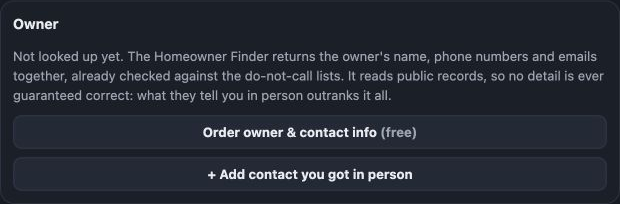
Meet the person behind the property.
Request available homeowner details from the Owner panel. Keep the verified contacts you collect in person on the same property.
A number you can explain.
Illustrative numbers only. Your actual estimate uses your own rate card and property measurements.
Your quote. Your name on it.
412 Example Lane
Roof area: 1,865 sq ft · Predominant pitch: 6/12
Illustrative layout and price. Your actual PDF uses your company’s saved branding, pricing, and configured information.
Send the branded estimate to their inbox.
Download it, show it, or print it yourself.
Send a printed piece to their doorstep.
This is a preview; no estimate is sent. Delivery availability and timing depend on your plan.
Aerial measurement
Review roof size, pitch, and the highlighted roof before sending your estimate.
Your pricing
Set material rates, minimum prices, pitch bands, and waste for the way you build.
Room for your judgment
Adjust the measurement or trace the roof when the imagery needs a closer look.
One estimate. Their preferred next step.
Keep the saved measurement and price together. Email an estimate, download a PDF, or prepare a mailer. Mailing is always optional.
Email the estimate
Enter the homeowner’s email on the property card and send your branded PDF. Your company details give them a clear way to reply and keep the conversation going.
See the email workflow →Share a branded PDF
Choose an estimate-only layout with your logo, price, and configured company information. Show it during an appointment, download it, or print it for the homeowner.
Make it your own →Follow up by mail
Choose a mailer template when you want a physical follow-up. Print it yourself or use QuoteQuiver printing and mailing. Review the artwork and price before it goes out.
See mailing options →A second look before you send.
Review the measurement, roof highlight, and price together. Aerial coverage and roof visibility vary by property.
Cross-check the roof before you quote.
Trees can hide part of a roof from aerial imagery. Where independent building outlines are available, QuoteQuiver compares them with the measurement and flags significant differences for review.
- Review the highlighted roof to make sure you are quoting the main house.
- Your judgment comes first: correct the measurements or trace the roof before sending a price that needs a closer look.
Floored to the footprint. Check before it mails.
Can I use my own roofing prices?
Yes. Set your material rates, minimum job price, pitch bands, and waste factor. Review the saved measurement and price before sharing an estimate. See how pricing is set up →
What if the aerial measurement needs a correction?
Check that the highlight covers the main house. Trees, imagery, and coverage can affect the measurement. Review roof area and pitch, then adjust or trace the roof where needed. Confirm site conditions and final scope before committing to the job. Reviewing measurements →
Do I have to send mail?
No. Choose estimates only, email a branded PDF, or download it to share yourself. Mailer templates and self-printing are available when you want a physical follow-up. Explore direct mail →
Can homeowners start an estimate on my website?
Yes. Add the website estimator using your company’s pricing and branding. Choose whether to collect contact details before or after the price is shown. Explore the website estimator →
See what your next quote could look like.
Bring an address. We’ll walk through your pricing, your branding, and the way your team works.